Step 1
Every AI conversation goes on one list
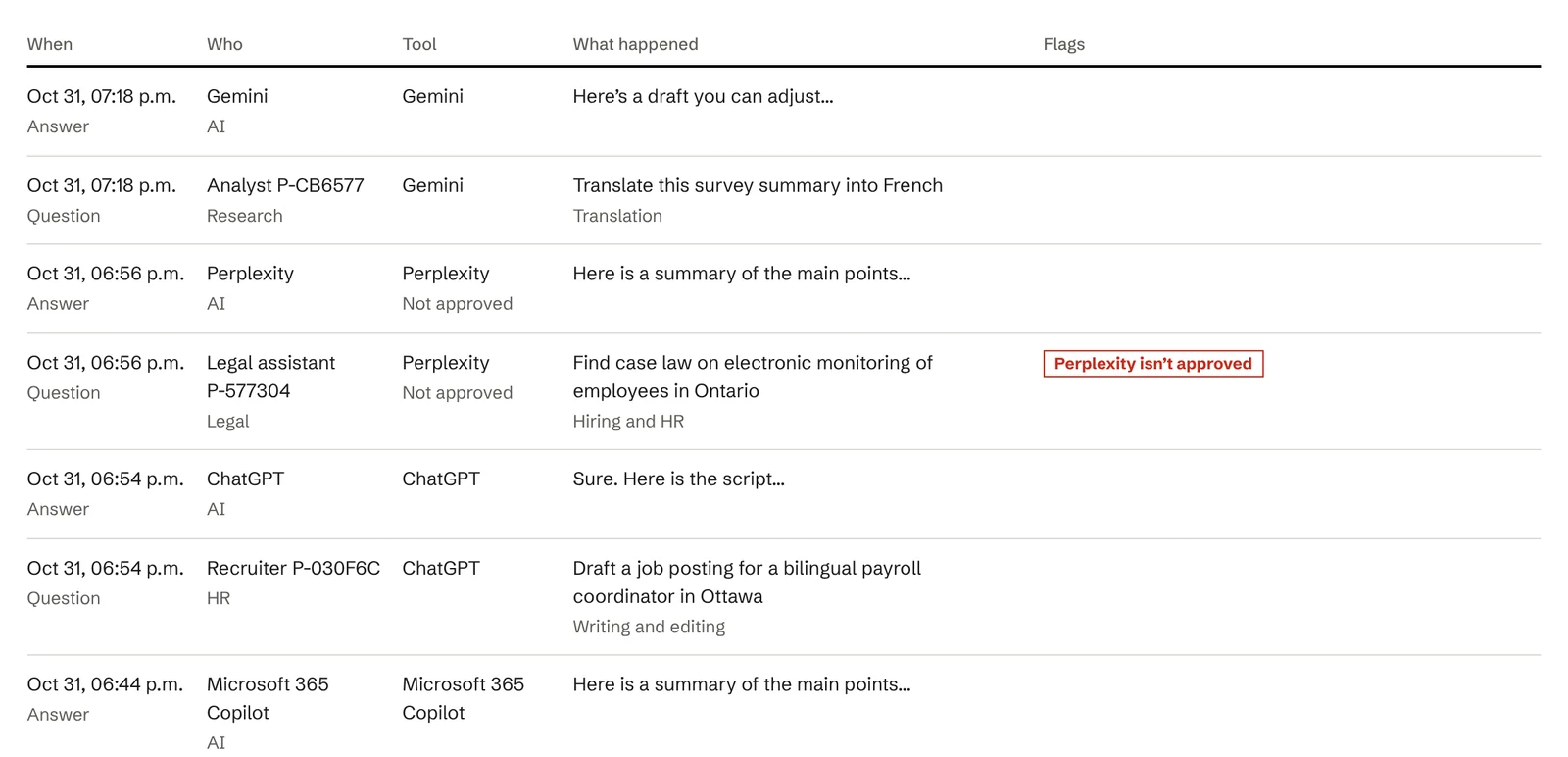
halfway connects to ChatGPT, Copilot, Claude and other AI tools on company computers, plus any AI your company builds itself. Every question, answer and action is recorded, with names hidden.
52% of workers use AI tools their employer hasn’t approved.
Okta survey, May 2026A court ordered OpenAI to hand over 20 million ChatGPT conversation logs.
ABA Journal, January 8, 2026Federal government departments must keep records of decisions made with AI, and of every time a person overrules it, safe from tampering.
Directive on Automated Decision-Making, sections 6.2.7, 6.3.4 and 6.3.11halfway connects to ChatGPT, Copilot, Claude and other AI tools on company computers, plus any AI your company builds itself. Every question, answer and action is recorded, with names hidden.
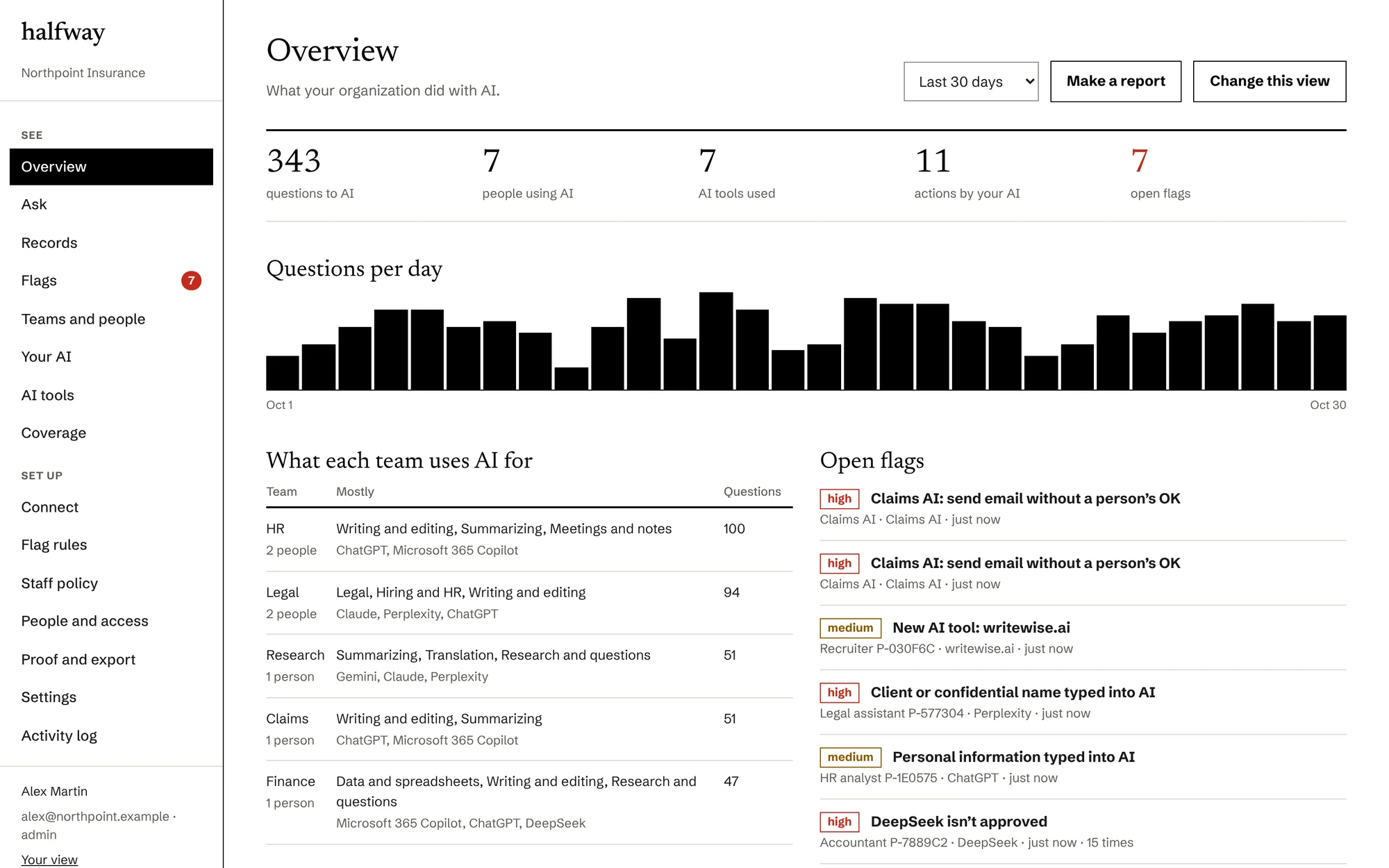
An AI tool you haven’t approved, private or client information typed into AI, or your own AI sending email without a person’s OK. You choose what gets flagged.
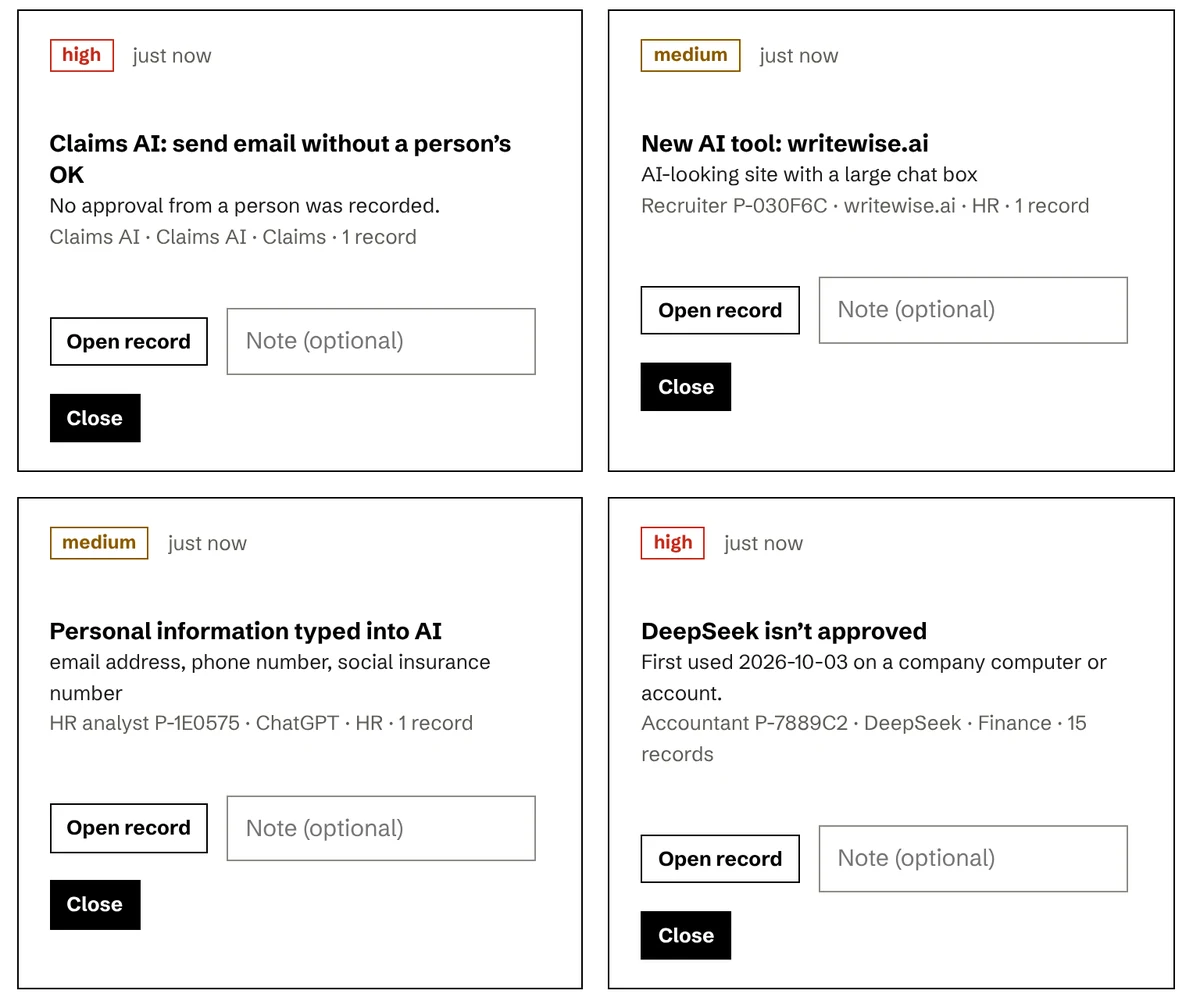
Look things up by name, tool or date, or type a question like “What is the HR team using AI for this month?”
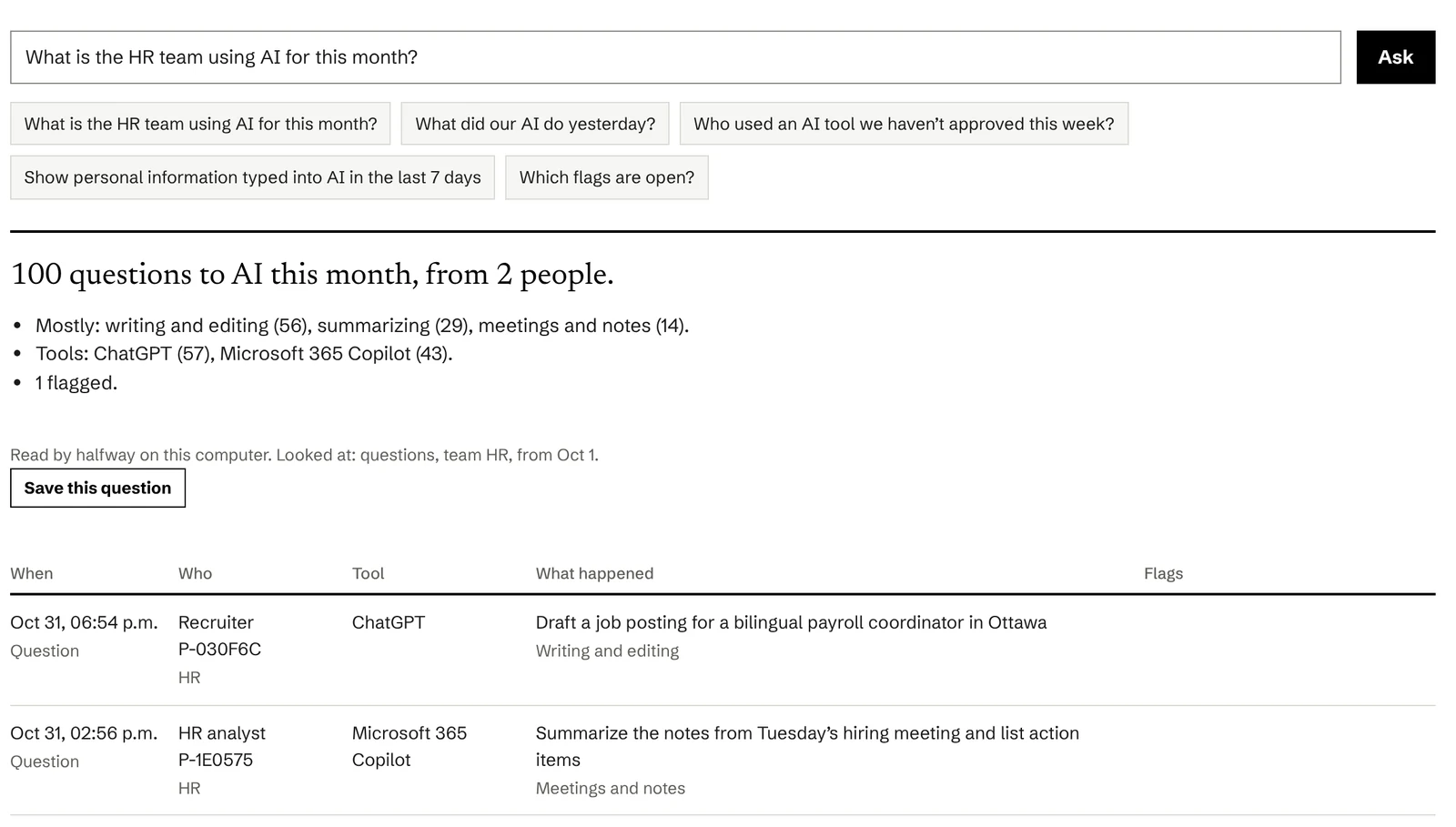
Each team’s main uses and tools at a glance. Nobody is named unless two people approve it.
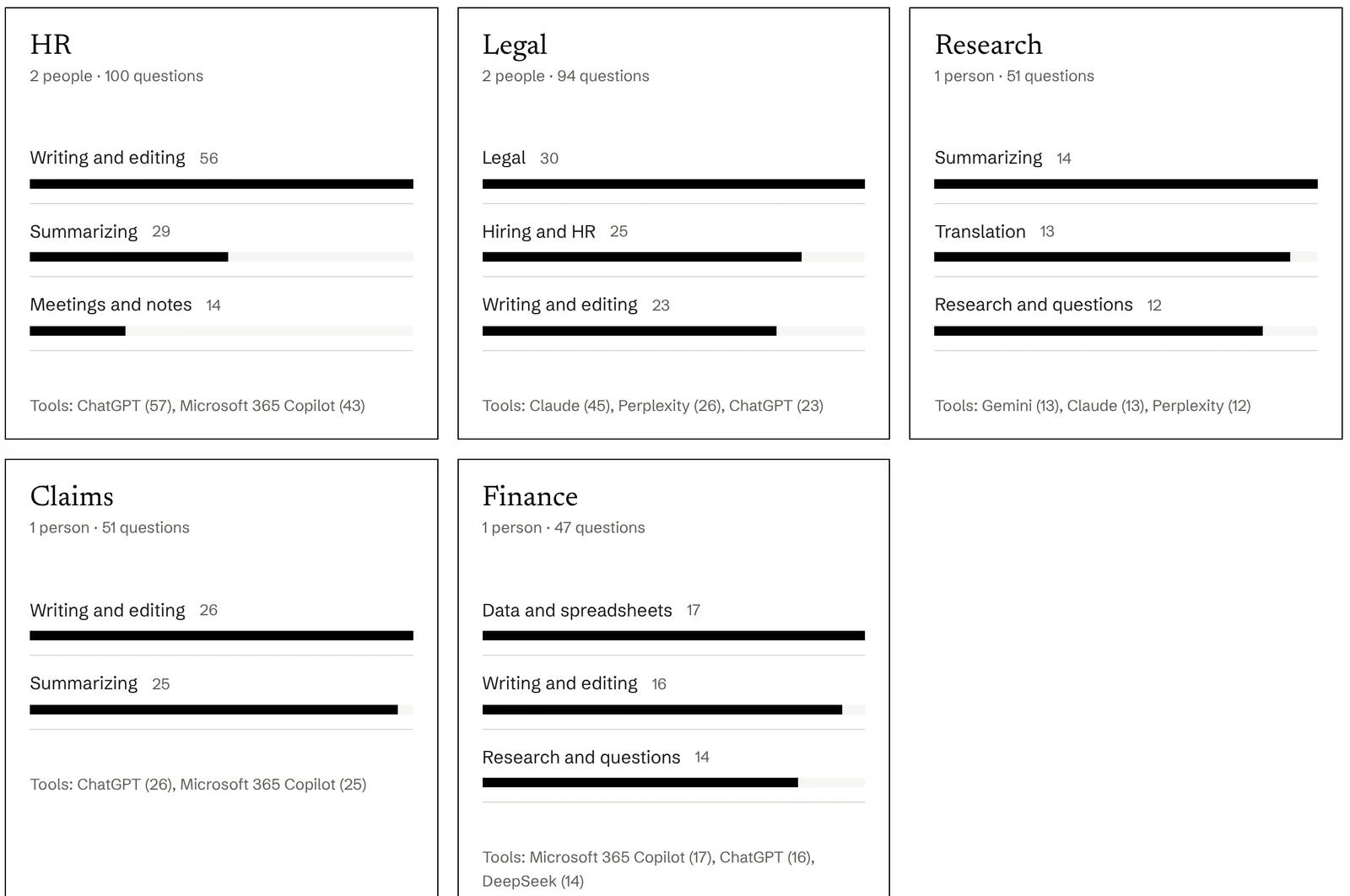
Every action your company’s AI took, and whether a person approved it.
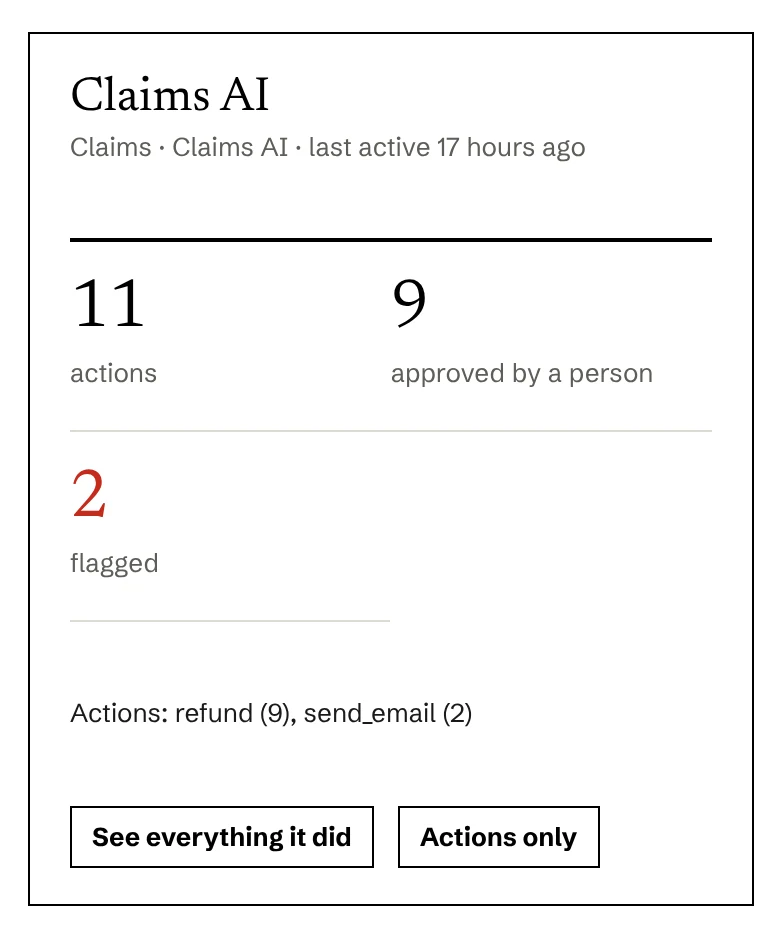
Screens from the halfway app, with sample data.
The same record in plain words, and as an engineer sees it.
Plain view
Sealed. Verified unchanged.
Engineer view
{
  "record_id": "rec_01JB7Q4ZK3",
  "time": "2026-10-28T14:02:11Z",
  "source": "m365_copilot",
  "actor": {
    "type": "person",
    "role": "hr_analyst",
    "name": "[masked]"
  },
  "event": "prompt",
  "ai_system": "sys_hr_copilot",
  "files": 12,
  "personal_info": ["name", "email"],
  "flags": [{
    "type": "personal_info",
    "status": "closed"
  }],
  "review": {
    "decision": "approved_use",
    "at": "2026-10-28T15:30:02Z"
  },
  "prev_hash": "b84d0e…07aa",
  "hash": "3f9a71…c21e",
  "timestamp": "rfc3161:…"
}
Sample data.
Each record is stamped with a code made from the one before it, and stored where it can’t be edited. If anyone changes an old record, the codes stop matching and halfway shows exactly where.
Records are linked in order.
Someone edits an old record.
Its code no longer matches, so every record after it breaks. halfway shows where.

The halfway app for Windows, the browser and desktop recorders, the gateway and agent kit for your own AI, flags, search, reports, the staff policy, and a check that proves nothing was changed.
Working with a first few teams, signing the installers, testing the company feeds from Microsoft, OpenAI and Anthropic, and the French version.
For organizations that need them: flags tied to federal AI rules, the EU AI Act and hiring laws.
halfway keeps records on a computer or server you choose. The hosted version will run in Montréal, with Calgary as backup.
Staff are told. halfway also shows you any computer or AI tool it isn’t fully recording.
Masked in search. Revealing a name takes two approvals, and every search is recorded.
You choose how long records are kept and when they’re deleted, without asking us.
We won’t sell your data or train AI on it.
An outside security audit (SOC 2) is planned before the first paid customers.
A Windows app where the people you choose look through your AI records. They sign in with their work email, a password and a code from their phone, then search by name, tool or date and export records with proof they haven’t changed.
ChatGPT, Claude, Gemini, Copilot, Perplexity and other AI tools, including free accounts. Also apps built on them, AI inside software like Microsoft 365 and Slack, and AI your company builds. When staff start using a new AI tool, halfway shows it to you to confirm.
It records AI use on company computers and accounts, and staff are told. Names stay hidden until two people approve. halfway comes with a staff notice and policy template, which Ontario requires for employers with 25 or more staff.
That comes later. halfway will flag records tied to rules you follow, like the federal directive on automated decisions or the EU AI Act. It isn’t legal advice.
Yes. The app, reports and documentation will be in English and French.
Pilots are free. After that, a monthly price per person using AI. You’ll see it before you pay anything.
A pilot is one team, one or two AI tools, about three months, and a short call each month.
Thanks. We’ll be in touch.